Jupyter Lab Terminal non-UTF8 Fix Encoding

Jupyter Lab Terminal non-UTF8 Fix Encoding
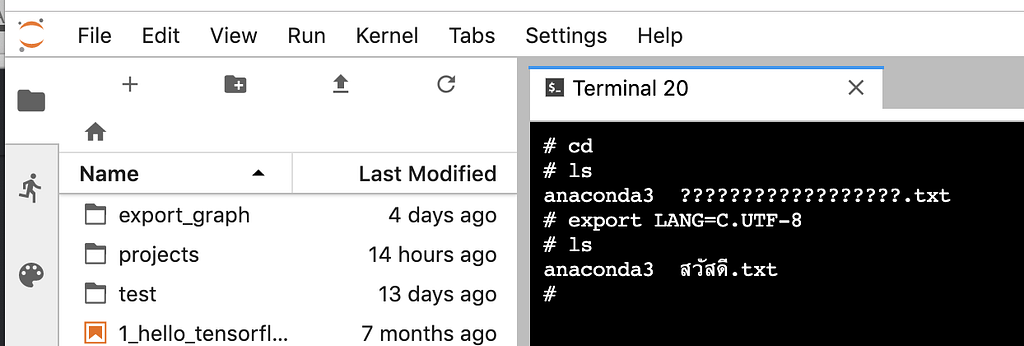
We have non-ASIIC filename (Thai UTF-8 filename), which is displayed incorrectly in the Jupyter lab terminal by default. It is display as ??????????.txt.
To solve with this, just type
export LANG=C.UTF-8
into the terminal.
The problem is resolved immediately.
For those whoever want to develop and get consult on creating your own AI model, please getting more information at our company website “iApp Technology” (https://iapp.co.th) and testing our AI demoes (https://ai.iapp.co.th). You can contact me directly at kobkrit@iapp.co.th. Thank you very much. #iApp #Ai

See more at https://iapp.co.th and https://ai.iapp.co.th
Jupyter Lab Terminal non-UTF8Fix Encoding was originally published in Kobkrit on Medium, where people are continuing the conversation by highlighting and responding to this story.