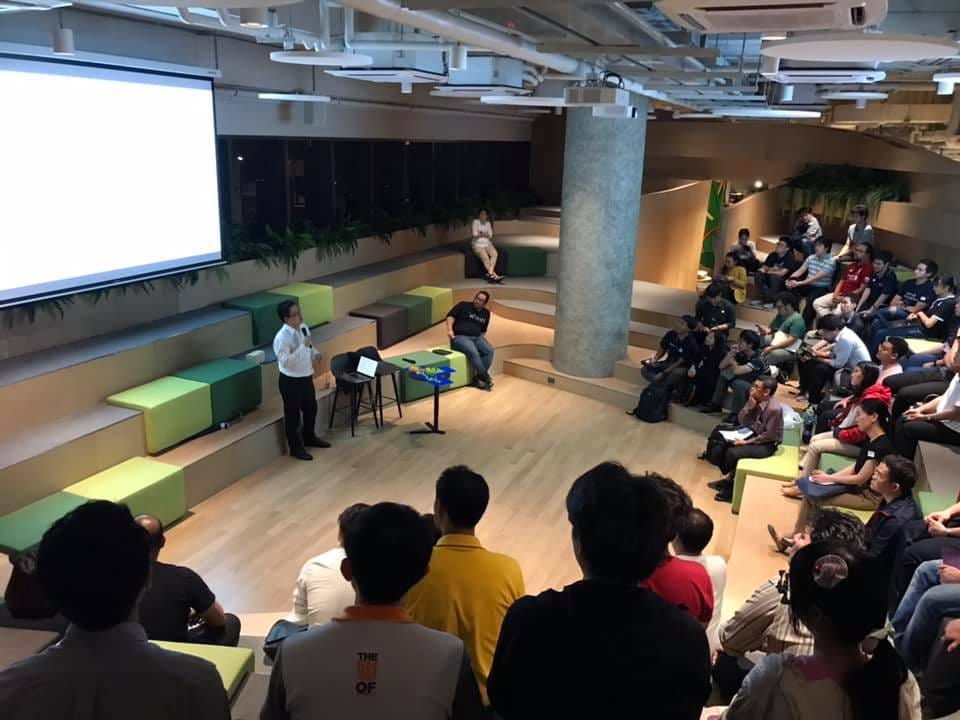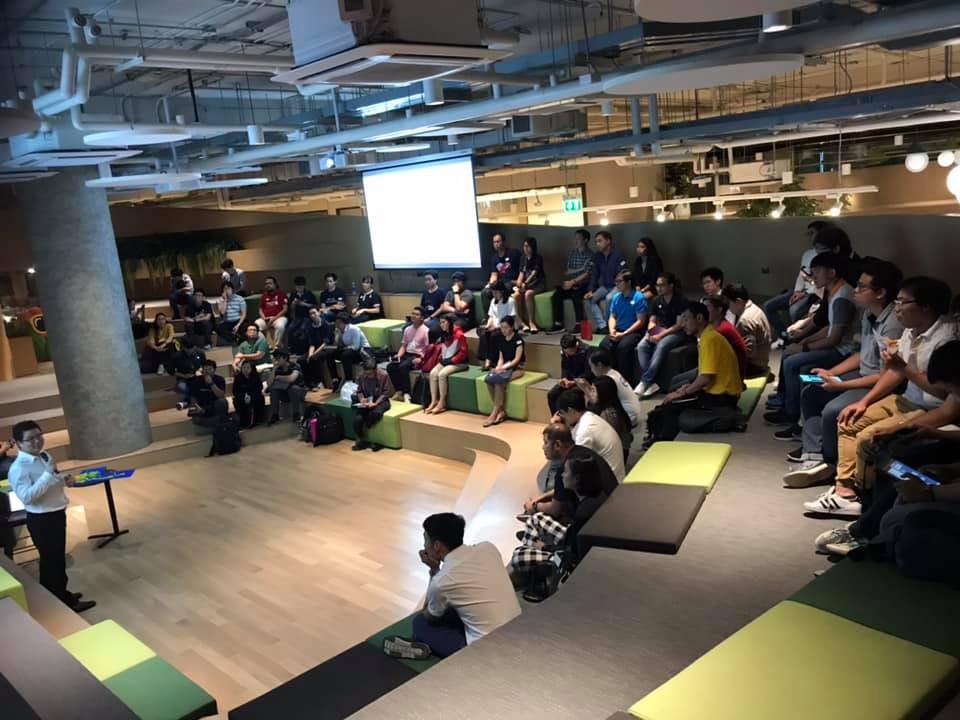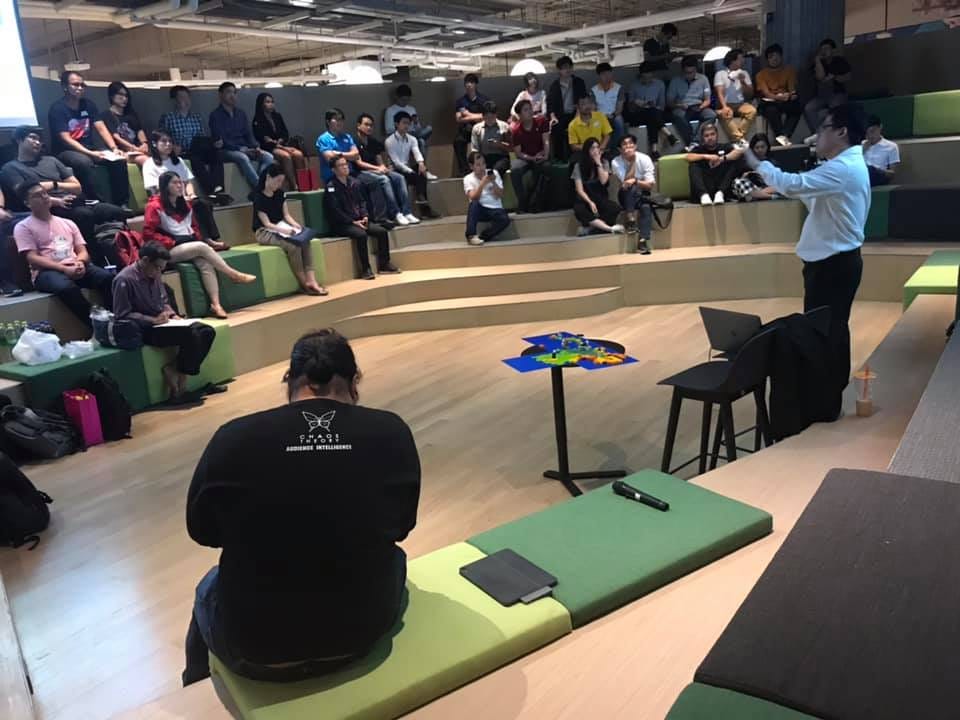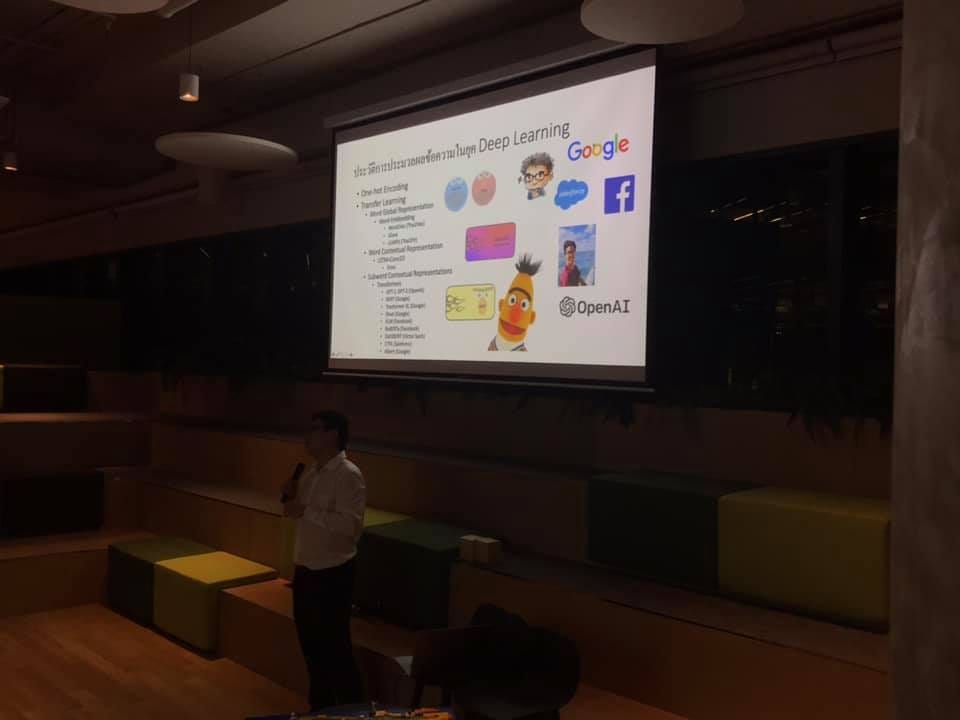
รวบรวม Link สำหรับเรียนรู้ Transformer สำหรับ SuperAIEngineer Season 3

· 3 min read
Kobkrit Viriyayudhakorn
CEO, iApp Technology

Schedule

27 Feb 2023

13:00–13:05 แนะนำว่าโจทย์ QA คืออะไร และ Transformer เอาไปอะไรได้บ้าง
13:05–14:00 NLP Core Knowledge
14:00–14:05 — — Brain Break — —
14:05–15:00 Transformer Core Knowledge
15:00–15:05 — — Brain Break — —
15:05–16:00 Colab 1 (Preprocessing + Text Class) + Colab สร้าง QA
16:00–16:15 Q/A Session

— —

28 Feb 2023
09:00–10:00 Colab 2 (NE + POS+ WS + SS)
10:00–10:05 — — Brain Break — —
10:05–11:00 How ChatGPT Build and Works?
11:00–11:05 — — Brain Break — —
11:05–12:00 Colab: Making Your Own ChatGPT (As the way we did on OpenThaiGPT 0.0.1) + Colab: Reinforcement Learning with Human Feedback (RLHF)
12:00–12:15 Q/A Session + OpenThaiGPT Open for Volunteers.

โจทย์ QA

อะไรคือ QA: https://ai.iapp.co.th/product/thai_automatic_qa
Colab สร้าง QA: https://colab.research.google.com/drive/1inDOJzCh-iG3_aAU-73tq3FzlCwM8nvY

NLP Core Knowledge

Slide (Basic NLP -> Word Embbeding -> LSTM): https://drive.google.com/file/d/14AVefnJvgaNXWw6wo-kpmHQyjLAikMgp/view?usp=sharing

Transformer Core Knowledge

Slide

Slide (Thai NLP in Transformers Era): https://drive.google.com/file/d/1-V-Gy45c7vHQ4GejvWDBHk0w9oJ4z18I/view?usp=sharing

Colab

Colab 1 (Preprocessing + Text Class): https://colab.research.google.com/drive/1fGKoS1WH6dbw3mYffOgTtdmPN2Wi9doF?usp=sharing
Colab 2 (NE + POS+ WS + SS): https://colab.research.google.com/drive/1CWamaQH1Lgd7mSZ0UZ4jx2AUMAGDpsfq?usp=sharing#scrollTo=cvrnEG4mOm1p

ChatGPT Core Knowledge

Website

https://openthaigpt.aieat.or.th/

Slide

Slide (ChatGPT: How it works?): https://docs.google.com/presentation/d/1Q6_S_GDWHuNC0DfprNMn9EH0kyqK_y-RbdK5fJB6EUk/edit#slide=id.g1f3418062d6_0_156

Slide (OpenThaiGPT):
https://docs.google.com/presentation/d/1JJxtwo1pCJC3u6aSfslSp1FJSb5ZS5xBKIiQ-6Kip_g/edit?usp=sharing

Colab
Finetuning OpenThaiGPT version POC 0.0.1:
https://colab.research.google.com/drive/1MA1FHwknrs6mVstOHcSyFTnDNWrus-G-?usp=sharing

RLHF: สอนให้ Model Generate ข้อความเชิงบวก (Positive Sentiment) ได้มากขึ้นด้วย PPO https://colab.research.google.com/drive/1qce78Q00SY7CKXLVtiSGFbP5C1V_nypn?usp=sharing


รวบรวม Link สำหรับเรียนรู้ Transformer สำหรับ SuperAIEngineer Season 3 was originally published in Kobkrit on Medium, where people are continuing the conversation by highlighting and responding to this story.

แจกวิธี Train Thai Question Answering AI ใช้ Wangchanberta บน Dataset iApp QA โดย Simple Transformer

· 2 min read
Kobkrit Viriyayudhakorn
CEO, iApp Technology

แจกวิธี Train Thai Question Answering AI ใช้ Wangchanberta บน Dataset iApp QA โดย Simple Transformer

How to make Thai QA System using SimpleTransformer

Colab:

https://colab.research.google.com/drive/1inDOJzCh-iG3_aAU-73tq3FzlCwM8nvY#scrollTo=vLChKnukd3gC


แจกวิธี Train Thai Question Answering AI ใช้ Wangchanberta บน Dataset iApp QA โดย Simple… was originally published in Kobkrit on Medium, where people are continuing the conversation by highlighting and responding to this story.

แจกไบเบิ้ล วิธีการ Finetune BERT, Roberta, Wangchanberta สำหรับงาน NLP ภาษาไทยแบบง่าย พร้อมแจกโค้ดบน Colab!!

· 4 min read
Kobkrit Viriyayudhakorn
CEO, iApp Technology

แจกไบเบิ้ล วิธีการ Finetune BERT, Roberta, Wangchanberta สำหรับงาน NLP ภาษาไทยแบบง่าย พร้อมแจกโค้ดบน Colab!!

ชุดซอฟต์แวร์ Transformer จาก Huggingface (https://huggingface.co/) เป็นศูนย์รวม Software, Model และ Datasets ในการใช้ Transformer ทางด้าน NLP ที่ยอดนิยมที่สุดในโลก สนับสนุนทางภาษาไทยและภาษาอังกฤษ และทุกภาษาทั่วโลก

การใช้งานชุดซอฟต์แวร์ Transformer จาก Huggingface นี้ ต้องมีความรู้เฉพาะทางของแต่ละ Model ในตระกูล Transformer และต้องเรียนรู้ API ของ Huggingface ต่างๆ อาทิเช่น Datasets, Trainer, Tokenizer, Inference API ที่ต้องใช้เวลาและการเรียนรู้ค่อนข้างนาน (แต่ก็ดีกว่าไป Clone GIT Repo ของ Transformer แต่ละตัวมาแล้วมาเรียนรู้และเล่นเอง ไปหลายขุมแล้ว)

เพื่อที่จะให้ผู้ที่ทำการเรียนรู้ สามารถนำ Model Transformer นำไปใช้งานได้อย้างรวดเร็ว โดยที่เข้าใจถึงพัฒนาการของงาน NLP จาก One-hot Encoding, Word2Vec, LSTM, Encoder & Decoder และ Transformers ได้ด้วยนั้น

สอน NLP Processing + Toolkits ที่ค่าย Super AI Engineer Season 2 ระหว่างวันที่ 14–15 กุมภาพันธ์ 2565

ทางผมได้รับเชิญ ให้สอนวิธีการพัฒนา AI เหล่านี้ในค่าย Super AI Engineer Season 2 ผู้เข้าร่วมประมาณ 130 ท่าน จัดโดยสมาคมปัญญาประดิษฐ์ประเทศไทย (AIAT) ระหว่างวันที่ 14–15 กุมภาพันธ์ 2565โดยสอนวิธีการสร้าง Model AI ด้าน NLP ตั้งแต่วิธี Basic จนถึงการใช้ Word2Vec, LSTM, BERT, Roberta และสอน Finetune โมโดลโดยการใช้ Tensorflow Keras, Pytorch และสุดท้าย Finetune บนซอฟต์แวร์ชุด Simple Transformer (https://simpletransformers.ai)/ซึ่งเป็นชุดซอฟต์แวร์ที่ที่ทำให้เรา Finetune Model บนข้อมูลบน Pandas ได้โดยง่าย โดยไม่ต้องเขียน Data Class หรือใช้ Data loader บนงาน NLP ภาษาไทยและอังกฤษได้ ซึ่งใน Colab มีตัวอย่างตั้งแต่

  1. Text Cleaning
  2. Text Classification
  3. Text Similarity
  4. Word Segmentation
  5. Name Entity Recognition (NER)
  6. Part of Speech Tagging (POS)
  7. Sentence Segmentation

พร้อมตัวอย่างใช้งานได้จริงผ่าน Notebook บน Google Colaboratory ใน 2 Links นี้

NLP Preprocessing + Text Classification (Monday 14 Feburary)
https://bit.ly/sai2-nlp1

NE + POS + WS + SS (Tuesday 15 Feburary)
https://bit.ly/sai2-nlp2

และสุดท้ายสอนการ Upload Model และ Tokenizer ขึ้นที่หน้าเว็บไซด์ของ Huggingface อีกด้วย ในท้ายของวันที่ 15 Faburary

ใครสนใจลองเข้าไปเรียนรู้ดูได้ หากเจอข้อผิดพลาดอะไร สามารถแจ้งมาที่ได้เลย มาจะทำการ Update แก้ไขให้ครับ

Colab ตัวนี้เป็นแบบ MIT license สามารถใช้ในการแจกจ่าย ดัดแปลง ไปใช้ในทางธุรกิจ อะไรได้หมดเลยครับ ทางผมยินดีครับ ขอบคุณครับ


แจกไบเบิ้ล วิธีการ Finetune BERT, Roberta, Wangchanberta สำหรับงาน NLP ภาษาไทยแบบง่าย… was originally published in Kobkrit on Medium, where people are continuing the conversation by highlighting and responding to this story.

ศักยภาพของ AI สู่โอกาสใหม่แห่งการแข่งขันและความสำเร็จ

· 7 min read
Kobkrit Viriyayudhakorn
CEO, iApp Technology

https://medium.com/media/f8ead5836ef79253f028959f246dd628/href

สวัสดีครับ เจอกันอีกแล้วนะครับ ผม กอบกฤตย์ นะครับ

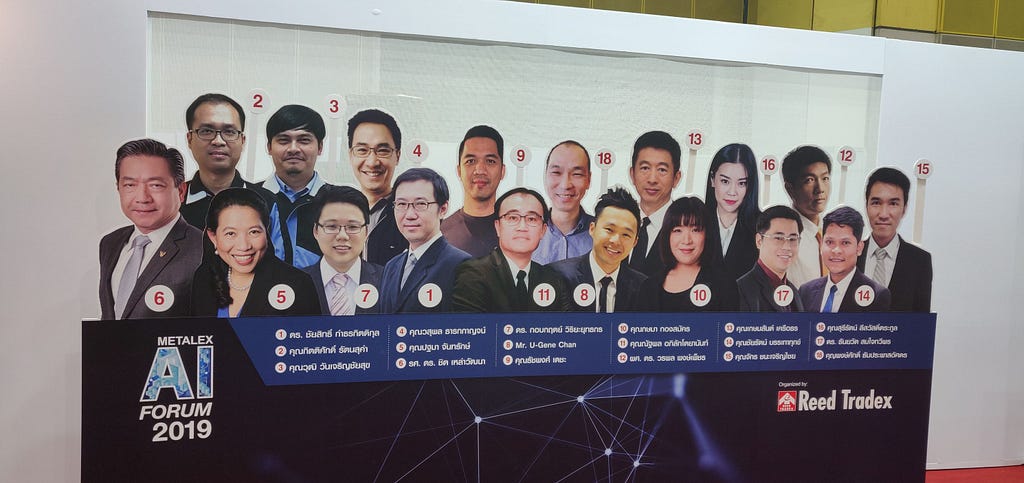
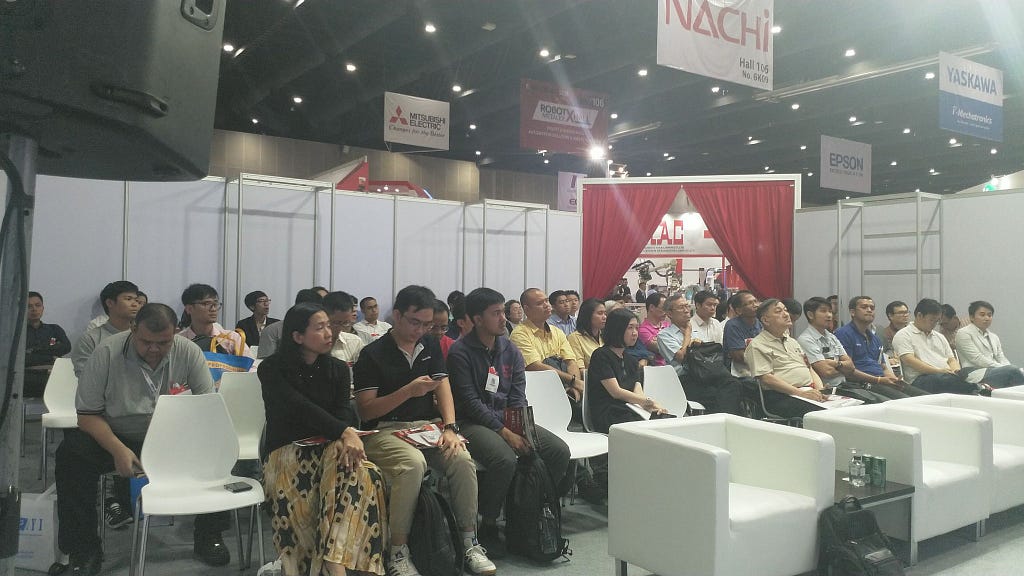
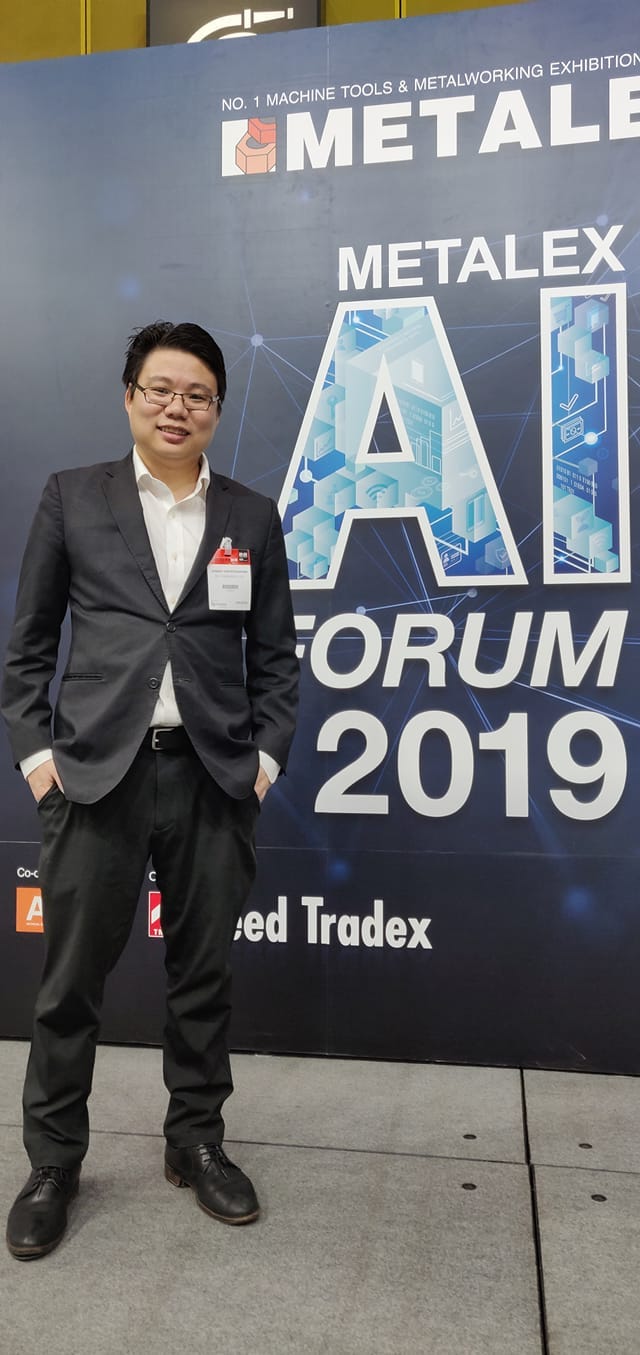
เนื่องจากทางผมมีโอกาสได้ไปพูดที่งาน Metalex 2019 เป็นครั้งที่สองแล้วนะครับ ในฐานะกรรมการสมาคมปัญญาประดิษฐ์ประเทศไทย (AIAT) ในหัวข้อเรื่อง ศักยภาพของ AI สู่โอกาสใหม่แห่งการแข่งขันและความสำเร็จ ซึ่งเป็นแนวที่ค่อนข้าง Abstract มาก ผมเลยคิดว่า มันก็เป็นโอกาสอันดีเหมือนกัน ที่ได้สรุปข่าว AI ที่สำคัญๆในปี 2019 มารวบรวมให้กับผู้อ่านทุกท่าน และให้ทุกท่านได้เตรียมตัวปรับตัวกับกระแส AI Disruption ที่จะรุนแรงขึ้นเรื่อยๆในปี 2020 นะครับ โดยหัวข้อที่ผมพูดแบ่งเป็น 3 หัวข้อหลักดังนี้นะครับ

หัวข้อที่ 1: เรื่องความก้าวหน้าด้าน AI ของทั้งโลกในปี 2019 ต้องยอมรับว่า สิ่งที่ก้าวหน้าที่สุดในปี 2019 นี่ ผมต้องยกให้กับเรื่อง Transfer Learning เลยครับ Transfer Learning คือการที่ AI เรียนรู้ข้อมูลจากแหล่งอื่นมาก่อน (มักจะเป็น Unsupervised Learning) แล้วสามารถนำมาสร้าง Model ใหม่ตามที่เราต้องการได้โดยใช้ข้อมูลน้อยลงมากๆ และ ไม่ว่าจะเป็น Domain ที่ชัดเจนมากๆ อาทิเช่น Natural Language Processing โดยการสร้าง Langauge Model จาก Corpus บทความขนาดใหญ่ ด้วยวิธี Pre-training แล้วค่อยมาปรับ Fine-tune กับงานที่เราต้องการใช้ภายหลังนะครับ ตัวอย่างที่ชัดเจนคือ Google BERT (https://github.com/google-research/bert)

หนึ่งในนั้นที่น่าสนใจก็คือเรื่อง Machine Translation นะครับ ที่ไม่ต้องใช้เนื้อหา Translation Pair ในการสอน AI แล้ว เพียงแค่นำ Pre-training ของแต่ละภาษามาแล้ว AI จะหาคู่คำแปลได้เองอัตโนมัติด้วยเทคนิคการ Map ให้ Word-Embedding ตรงกันนะครับ ทำให้เราสามารถทำ Machine Translation ได้ด้วยต้นทุนที่ถูกลงมากเลยครับ หากใครสนใจไปลองอ่าน Facebook XLM ดูนะครับ (https://github.com/facebookresearch/XLM)

เรื่อง Speech นะครับ ตอนนี้เค้าสามารถสร้าง Speech Model ด้วยเทคนิค Pre-training โดยให้ AI ฟังเสียงตัวอย่างการพูดจากคนหลายๆพันคนนะครับ โดยที่ไม่ต้องมี Text Script ที่ควบคู่กับเสียงแล้วนะครับ และสามารถสร้างตัว Text-to-Speech (TTS) เป็นเสียงของใครก็ได้ ขอเพียงแค่มีตัวอย่างเสียงของผู้พูดที่เราต้องการเพียงแค่ 5 วินาทีเท่านั้น สามารถลองไปดูรายละเอียดเพิ่มเติมที่ https://github.com/CorentinJ/Real-Time-Voice-Cloning ได้เลยนะครับ

ัวข้อที่ 2 โอกาสใหม่ๆครับ ในปี 2020 เราจะเริ่มเห็นหุ่นยนต์มากขึ้นเรื่อยๆ ในปี 2025 เราจะเห็นหุ่นยนต์จนชินตา และคาดว่าจำนวนประเภทหุ่นยนต์จะมากกว่าจำนวน Species ของสัตว์ทั้งหมดในช่วงปี 2030 เราจะเห็นบริษัททางด้านหุ่นยนต์เติบโตขึ้นมหาศาลครับ อาทิเช่น หุ่นยนต์ทำความสะอาด,​หุ่นยนต์ประจำบ้าน, Smart Speaker และโอกาสต่างๆจากหุ่นยนต์ก็มหาศาลเช่นกัน อาทิเช่น

  1. งานการเขียนโปรแกรม AI เพิ่มความสามารถหุ่นยนต์ในด้านต่างๆ ความต้องการ
  2. ระบบศุนย์รวมข้อมูลและ Control ผ่านระบบ IOT ที่สามารถเชื่อมโยงหุ่นยนต์เข้าไว้ด้วยกัน
  3. ระบบ Big Data ที่ทำให้ AI เข้าใจข้อมูลมากยิ่งขึ้น จนกระทั่งรู้ใจลูกค้ามากยิ่งกว่าตัวลูกค้าเอง เราจะสามารถสร้าง Personalize Marketing ซึ่งจะช่วยสร้างเม็ดเงินมหาศาลจากความสามารถเหล่านี้ครับ

ส่วนประเทศไทยต้องเริ่ม Focus จากฐานการผลิตชิ้นส่วนรถยนต์เครื่องยนต์ที่ใช้นำมัน มาเป็นการผลิตชิ้นส่วนหุ่นยนต์ หรือตัวหุ่นยนต์เองได้แล้วนะครับ (รถยนต์ไฟฟ้าใช้ชิ้นส่วนไม่กี่ชี้นเอง และมักจะผลิตเป็นเนื้อเดียวกันแต่แรก) จะและต้องเร่งให้บริษัททางด้าน IT และ Software House ต้องสามารถใช้งาน AI ได้เป็น พร้อมตอบรับความต้องการของลูกค้าที่มีมากขึ้นในปี 2020 นะครับ

ัวข้อที่ 3 คือเรื่องการแข่งขันนะครับ ก็ค่อนข้างชัดเจนว่า งานที่ถูกสร้างเพราะการมาถึงของ AI จะเพิ่มตำแหน่งงานมากถึงประมาณ 133 ล้านตำแหน่งนะครับ แต่ก็จะทำลายตำแหน่งงานเก่าๆ ที่มาถูก AI ด้วยประมาณ 75 ล้านตำแหน่งเช่นกัน ในประเทศไทยจะมีปัญหาใหญ่มากๆ อันนึงก็คือปัญหา Skill Gap ครับ คือคนที่ทำ AI ได้ จะถูกแย่งตัวกันมาก และคนที่ทำ AI ไม่ได้ จะใช้เวลานานพอสมควร (3 เดือน — 1 ปี) กว่าจะสามารถมาเรียนรู้จนมาทำ AI ได้ คนที่ทำไม่ได้ จะหางานยากขึ้นกว่าเดิมมาก (เพราะตำแหน่งลดลงไปถึง 33%) ส่วนคนที่ทำได้แล้ว จะมีความต้องการเพิ่มขึ้นเป็น 2 เท่าในปี คศ. 2022

คนไทยมีปัญหาในเรื่องพื้นฐานความรู้สำหรับงาน AI ค่อนข้างมาก (ขาดทักษะ STEM) จะส่งผลให้คนจำนวนมากตกที่นั่งลำบากในอนาคตอันใกล้นี้ครับ วิธีการแก้ไขก็คือกลับไปทบทวนวิชาคณิตศาสตร์และคอมพิวเตอร์ครับ เพราะ AI คือใช้คณิตศาสตร์เป็นหลัก จำพวก Linear Algebra, Differiential Equation และทักษะทางด้าน Programming โดยเฉพาะภาษา Python ที่สามารถนำมาเขียน AI ได้ดีที่สุดนะครับ

รายละเอียด Slide ทั้งหมดสามารถดูได้ที่ Slideshare ด้านบนนะครับ

หากท่านชอบ Blog ความรู้แบบนี้ฝากกดรูปตบมือ หรือ ช่วยแชร์บทความลง Social Network ที่ท่านชื่นชอบได้เลยครับ

ขอบคุณครับ

หากใครสนใจอยากจะพัฒนาหรือต้องการที่ปรึกษาด้าน AI สามารถเข้าไปดูผลงานของบริษัทเรา iApp Technology ได้ที่ https://iapp.co.th และ https://ai.iapp.co.th หรือติดต่อได้ที่ kobkrit@iapp.co.th ได้เลยนะครับ #Ai #iApp

https://ai.iapp.co.th

ดูเพิ่มเติมได้ที่ https://iapp.co.th และ https://ai.iapp.co.th :D


ศักยภาพของ AI สู่โอกาสใหม่แห่งการแข่งขันและความสำเร็จ (รายงานความก้าวหน้าของ AI ในช่วงปี 2019) was originally published in Kobkrit on Medium, where people are continuing the conversation by highlighting and responding to this story.

การประมวลภาษาไทย NLP แบบ Transfer Learning ด้วย BERT

· 3 min read
Kobkrit Viriyayudhakorn
CEO, iApp Technology

สวัสดีครับ ไม่ได้ Post กันมาซักพักเลยครับ สบายดีไหมครับ ผม กอบกฤตย์ นะครับ เนื่องจากทางผม ได้รับการเชื้อเชิญโดยคุณ Charin https://www.facebook.com/charin.lin.5 มาพูดในงาน Data Science BKK #9 https://www.facebook.com/groups/dsbkkgroup/ เลยมาพูดเรื่อง BERT ซักหน่อยครับ

BERT เนี่ย มันย่อมาจาก Bidirectional Encoder Representations from Transformers พัฒนาโดย Google ครับ มันเป็น AI Deep Learning แบบ Transformer สำหรับงาน NLP (Natural Language Processing) โดยเฉพาะ ซึ่งเอาชนะ State-of-the-Art ในงาน NLP ได้กระจุยหลายตัวครับ

เวลาเทรน BERT เนี่ย ต้องทำการ Train 2 รอบไม่เหมือนกับ Deep Learning ทั่วๆไปแบบ LSTM หรือ RNN นะครับ มันจะแบ่งเป็น Pre-training เรียนรู้เข้าใจภาษาจากเนื้อหาข้อความภาษาจำนวนมาก(อาทิเช่นมาจาก Wikipedia, Toronto Book Corpus) เป็นการเรียนรู้แบบ Unsupervised Learning ก่อนนะครับ ซึ่ง Data ที่ใช้ไม่คต้องมีการ Label Class อะไร เพื่อให้ BERT เข้าใจ Language Model (LM) ของภาษานั้นๆเสียก่อนครับ

หลังจากที่ BERT เข้าใจ Language Model เรียบร้อยแล้วเราก็จะเอา BERT มาใช้งานในด้านต่างๆอาทิเช่น ทำ Sentimental Analysis ก็ต้องทำการ Train รอบที่สอง เรียกว่า Fine Tune นะครับ เป็นแบบ Supervised Learning โดยที่เราต้องเอา Data ที่เราต้องสอนมัน แบบมี Class อาทิเช่น Wisesight Sentimetal Data set (https://www.kaggle.com/c/wisesight-sentiment) มาปรับ Weight ที่ Layer ท้ายๆของ BERT ครับ ให้มันเรียนรู้ให้แยกแยะ ข้อความอารมณ์ดี หรือข้อความอารมณ์เสียได้

เนื้อหาฉบับเต็มจะอยู่ใน Link Youtube ข้างล่างนะครับ โดยเนื้อหาประกอบไปด้วย

  1. ฺฺBERT ดีอย่างไร
  2. การทำ NLP ในยุค Deep Learning จาก One-hot encoding ถึง BERT
  3. วิธีการทำงานของ BERT
  4. การ Pre-training, Fine-tuning และการใช้งาน BERT ของจริง
  5. มีอะไรจะมาเจ๋งกว่า BERT มาอีกไหม

ดู Video ได้เลยครับ

https://medium.com/media/6ba726cc23e3064c9ac7058aca02de25/href

Slide shares:

https://medium.com/media/dcf1748492673092fc07faa4a3fcabff/href

หากมีคำถามอะไร สามารถทิ้ง Comment ไว้ได้เลยนะครับ จะรีบมาตอบให้เร็วที่สุด หากชอบใจบทความนี้ฝากกดปุ่มตบมือ (Clap) ให้หน่อยนะครับ

หากใครสนใจอยากจะพัฒนาหรือต้องการที่ปรึกษาด้าน AI สามารถเข้าไปดูผลงานของบริษัทเรา iApp Technology ได้ที่ https://iapp.co.th และ https://ai.iapp.co.th หรือติดต่อได้ที่ kobkrit@iapp.co.th ได้เลยนะครับ #Ai #iApp

https://ai.iapp.co.th

ดูเพิ่มเติมได้ที่ https://iapp.co.th และ https://ai.iapp.co.th :D


การประมวลภาษาไทย NLP แบบ Transfer Learning ด้วย BERT was originally published in Kobkrit on Medium, where people are continuing the conversation by highlighting and responding to this story.

จำนวนบริษัทด้าน AI ของไทย เมื่อเทียบกับเพื่อนบ้าน

· 5 min read
Kobkrit Viriyayudhakorn
CEO, iApp Technology

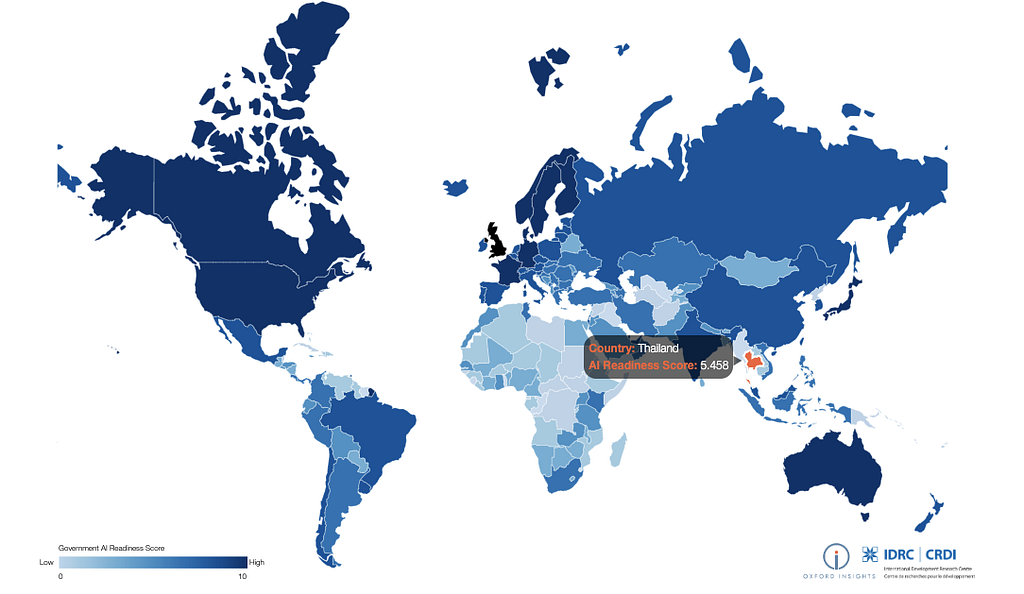
ผล Government Artificial Intelligence Readiness Index ประจำปี 2019 จัดอันดับโดย Oxford Insights

เร็วๆนี้มีข่าวว่า หนึ่งในตัวชี้วัดความพร้อมด้าน AI ของแต่ละประเทศคือ จำนวนบริษัท AI Startups โดยจากการจัดอันดับ Government AI Readiness 2019 [1],[2] โดยทาง Oxford Insights ผู้จัดอันดับนั้น ไปเอาข้อมูลจากเว็ปไซด์ https://www.crunchbase.com มาพิจารณา โชคดีที่ผมได้กรอกข้อมูลของบริษัทผมไว้ บริษัท ไอแอพพ์เทคโนโลยี จำกัด (iApp Technology Co., Ltd. — https://iapp.co.th) จึงเป็นหนึ่งในบริษัท AI ของไทยที่ได้ถูก Index ด้วย (มีอารมณ์ภาคภูมิใจนิดๆ)

เว็บไซด์ Crunchbase.com ถือว่าเป็น Website ฐานข้อมูล Startup ที่ใหญ่ที่สุดในโลก ผมรู้จักเว็บไซด์นี้ครั้งแรก ตอนได้ไปร่วมกับ JFDI.Asia Startup Accelerator ที่สิงคโปร์ในปี 2014 โดยคุณเจ้าของ JFDI.Asia Startup Accelerator คุณ Meng Wong แนะนำให้กรอกข้อมูล Startup ของตัวเองลงเว็บไซด์นี้ ภายในสัปดาห์แรกของการเริ่มเข้าค่ายเลยทีเดียว นักลงทุนทั่วโลกเค้าจะได้รู้จัก เพราะนักลงทุนเค้าจะอ้างอิงฐานข้อมูลนี้เป็นมาตรฐานเสมอๆ

ผมจึงอยากเชิญชวนทุกท่านที่ทำ Startup ทุกท่านว่า หากใครต้องการได้รับ Invest จากนักลงทุนทั่วโลก ควรเสียเวลาเล็กน้อยกรอกข้อมูลของท่านลงในเว็บไซด์นี้ แล้วคนทั้งโลกจะได้รู้จักบริษัทของท่าน

คราวนี้ผมสงสัยจริงๆว่า จำนวนบริษัทในไทย ที่เป็น Artificial Intelligence นั้นมีทั้งหมดกี่บริษัทกันแน่ และเราเป็นอันดับที่เท่าไร่ใน Southeast Asian นี้

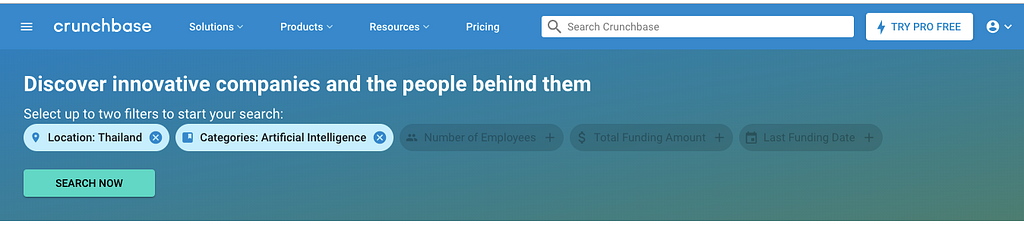
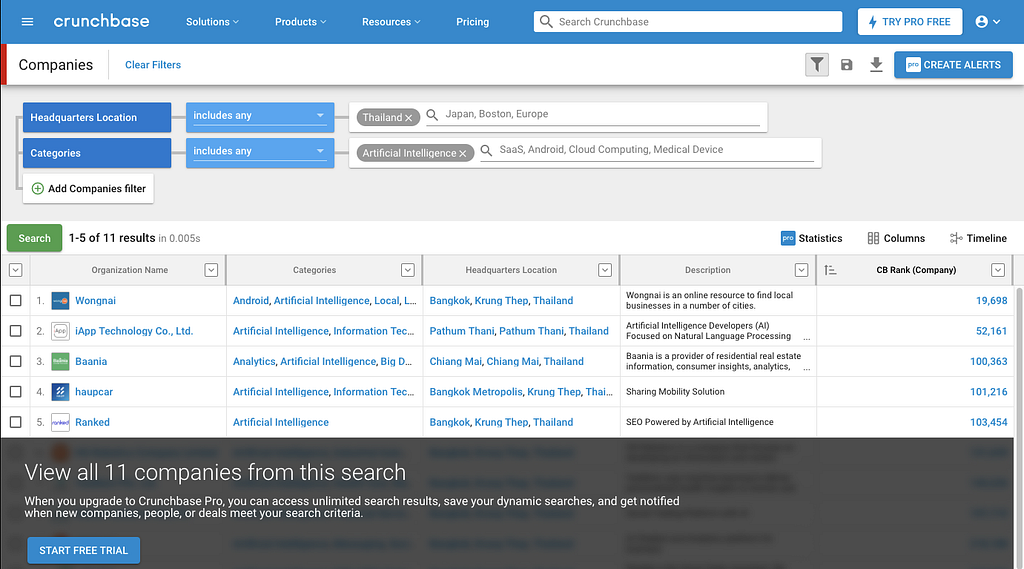
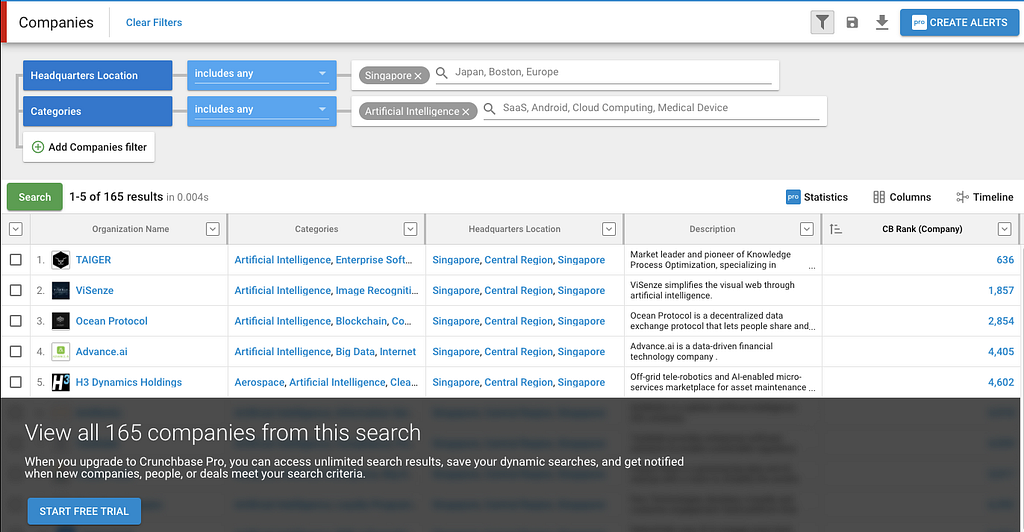
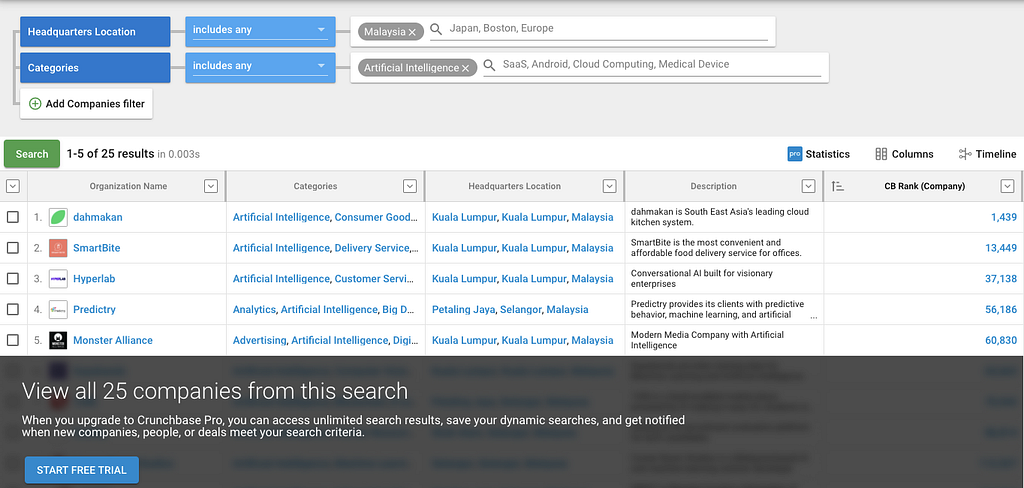
เพื่อหาคำตอบ ผมเลยใช้หน้า Search ของ Crunchbase ซึ่งสามารถระบุได้ 2 เงื่อนไข (Package ฟรี) ทางผมเลยใช้ Search Condition ง่ายๆดังรูป ที่ Website ของ Crunchbase

  1. Location = ประเทศนั้นๆ
  2. Category = Artificial Intelligence

(เนื่องจากผมไม่ได้ซื้อ Package Crunchbase Pro ไว้นะครับ เลยแสดงผลแค่ 5 อันดับแรกของแต่ละประเทศเท่านั้น)

ประเทศไทย

ประเทศไทยมี 11 บริษัทครับ บริษัทที่ Rank ดีที่สุดคือ Wongnai นั้นเอง และบริษัทของผมเอง iApp Technology อยู่ที่ 2

บริษัทในประเทศไทยเป็นบริษัท AI Application แนวจับ Domain ต่างๆ หลากหลาย อาทิเช่น อาหาร, NLP ภาษาไทย (AI Consulting), อสังหา, รถยนต์, SEO Digital Marketing…
สิงคโปร์

165 บริษัท หรือประมาณ 15 เท่าของเมืองไทย ส่วนมากเป็นแนว B2B ทั้งนั้น
มาเลเซีย

25 บริษัท ประมาณ 2 เท่ากว่าๆของเมืองไทย ส่วนมากเน้น Digital Marketing AI (B2B) 3 บริษัท และ อาหาร 2 บริษัท
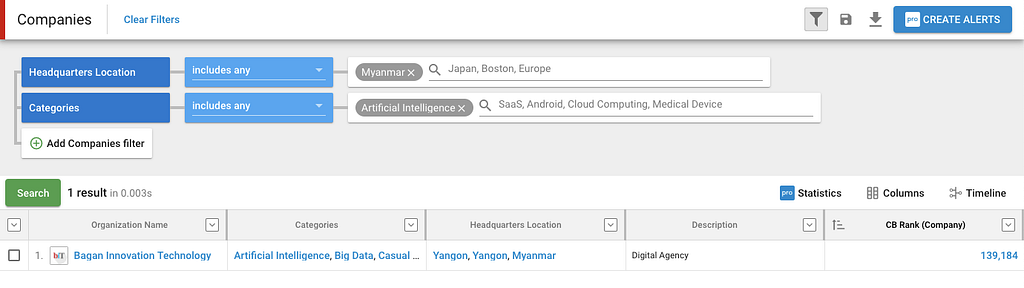
พม่า

1 บริษัท ด้าน Digital Marketing ที่มี AI ช่วยด้วย
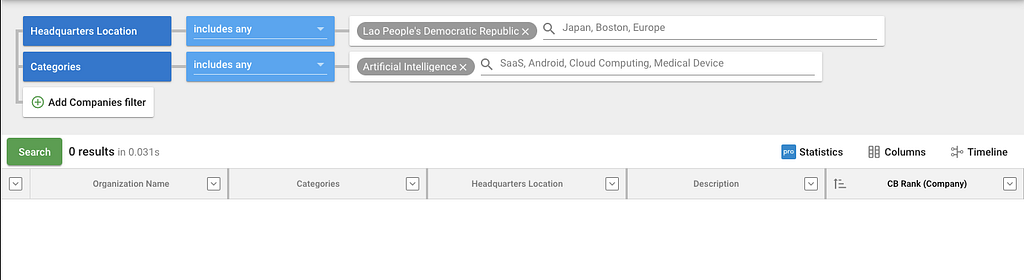
ลาว

0 บริษัท
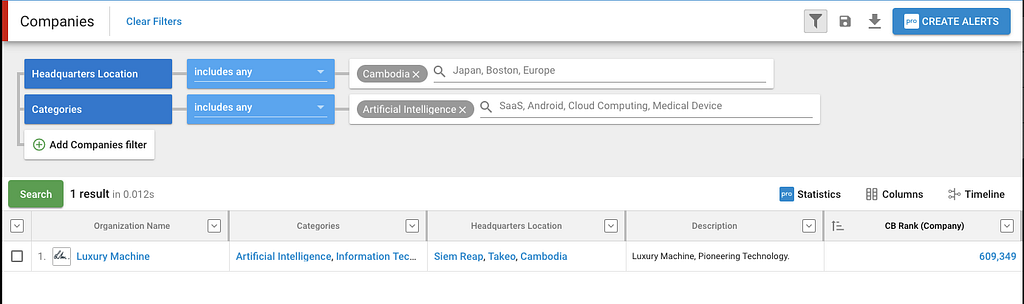
กัมพูชา

1 บริษัท เรื่อง Solution โรงแรมและร้านอาหาร B2B
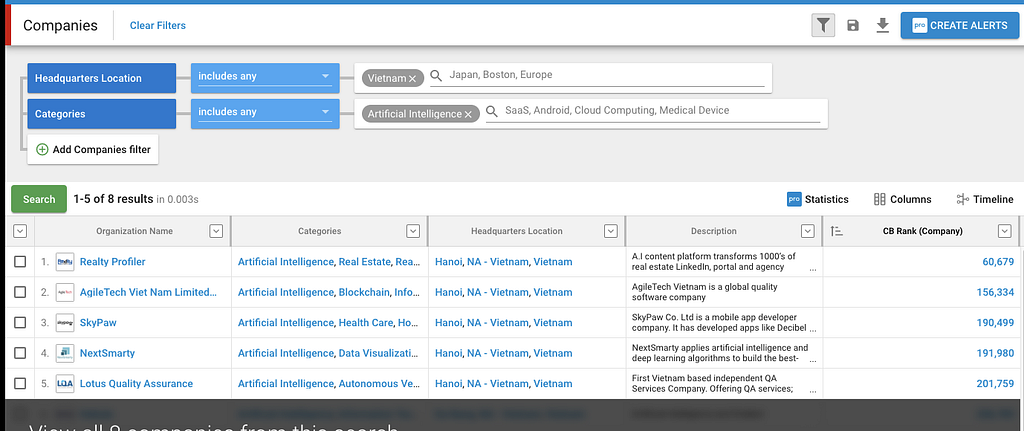
เวียดนาม

8 บริษัท เป็นแนว Software Development AI และ Real Estate
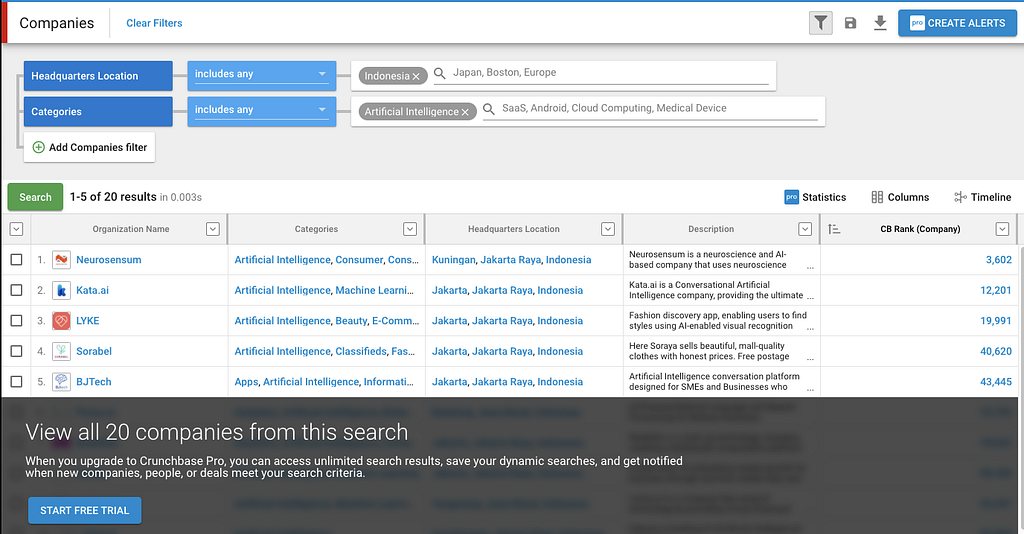
อินโดนิเซีย

20 บริษัท เป็นแนว Chatbot และ Pure AI ( Image, Neuro Science) ดูเป็น Deep Tech มากๆ
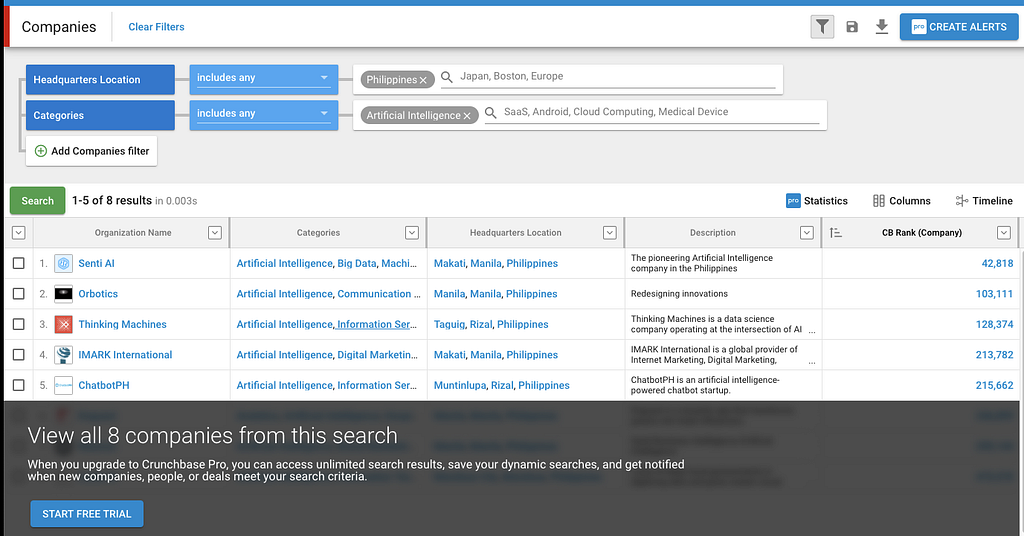
ฟิลิปปินส์

8 บริษัท Chatbot, NLP, Digital Maketing, AI Consulting
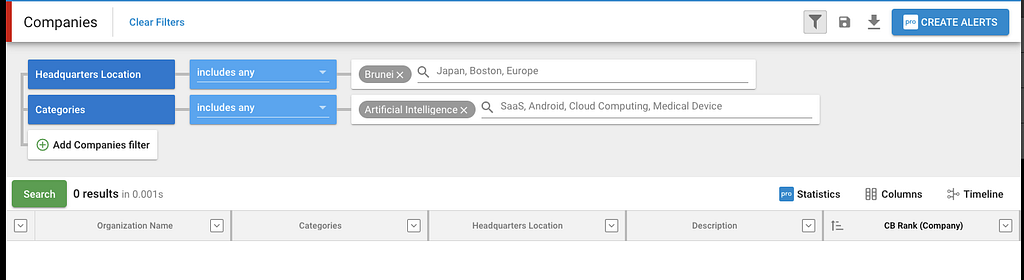
บรูไน

0 บริษัท
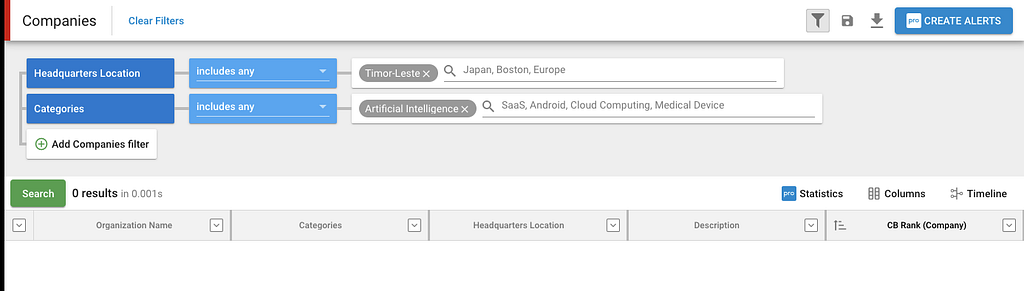
ติมอร์

0 บริษัท
สรุป
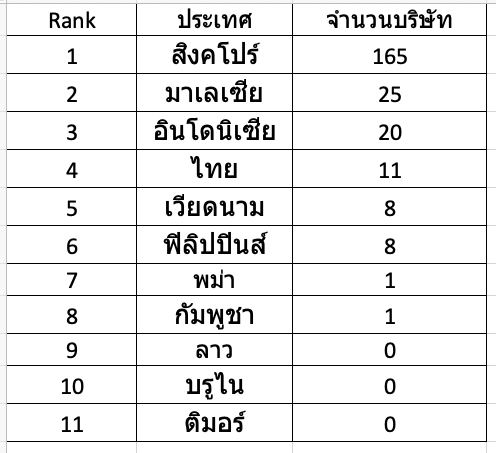
ประเทศไทยอันดับที่ 4 ผมว่าจริงๆ ผมสัมผัสได้ว่าในไทยน่าจะมีมากกว่านี้ อยู่ที่ประมาณ 20–30 บริษัท แต่ละบริษัทเจ๋งๆทั้งนั้น แต่ว่าเค้าไม่ได้เข้ามาใส่ข้อมูลเลยทำให้ข้อมูลมันดูน้อยๆไปหน่อย เลยจะอยากจะเชิญชวนบริษัท AI ในไทยที่ยังไม่ได้มาใส่ข้อมูล มาใส่ใน Crunchbase นะครับ จะได้ช่วยเป็นส่วนนึงให้ประเทศไทยจะได้ Rank Government AI Readiness 2019 สูงกว่านี้อีกนิด ในปีถัดไปครับ

ขอบคุณครับ

เขียนเมื่อ 28 July 2019

หากใครสนใจอยากจะพัฒนาหรือต้องการที่ปรึกษาด้าน AI สามารถเข้าไปดูผลงานของบริษัทเรา iApp Technology ได้ที่ https://iapp.co.th และ https://ai.iapp.co.th หรือติดต่อได้ที่ kobkrit@iapp.co.th ได้เลยนะครับ #Ai #iApp

https://ai.iapp.co.th

ดูเพิ่มเติมได้ที่ https://iapp.co.th และ https://ai.iapp.co.th :D


จำนวนบริษัทด้าน AI ของไทย เมื่อเทียบกับเพื่อนบ้าน was originally published in Kobkrit on Medium, where people are continuing the conversation by highlighting and responding to this story.
Jupyter Lab Terminal non-UTF8 Fix Encoding

· One min read
Kobkrit Viriyayudhakorn
CEO, iApp Technology

Jupyter Lab Terminal non-UTF8 Fix Encoding

We have non-ASIIC filename (Thai UTF-8 filename), which is displayed incorrectly in the Jupyter lab terminal by default. It is display as ??????????.txt.

To solve with this, just type

export LANG=C.UTF-8

into the terminal.

The problem is resolved immediately.

For those whoever want to develop and get consult on creating your own AI model, please getting more information at our company website “iApp Technology” (https://iapp.co.th) and testing our AI demoes (https://ai.iapp.co.th). You can contact me directly at kobkrit@iapp.co.th. Thank you very much. #iApp #Ai

See more at https://iapp.co.th and https://ai.iapp.co.th


Jupyter Lab Terminal non-UTF8Fix Encoding was originally published in Kobkrit on Medium, where people are continuing the conversation by highlighting and responding to this story.
How to directly download files from Dropbox, or Google drive using wget in Terminal or in Google Colaboratory.

· 3 min read
Kobkrit Viriyayudhakorn
CEO, iApp Technology

How to directly download files from Dropbox, or Google drive using wget in Terminal or in Google Colaboratory.

Google Colaboratory is a great tool for data science and machine learning practitioners nowsday. Since a Google Colaboratory is a GPU-enable remote compute instance running on Google Cloud. It does not locally run on our machine. It is quite difficult to upload the dataset or any CSV files into the remote instance.

The easiest way to do is, we upload our files to the Public folder in the Dropbox. We copy the public link and download it using command as follow.

# Dropbox

# Dropbox


## Google Colaboratory


!wget -O news.csv <https://www.dropbox.com/s/XXXXXXX/news.csv?dl=0>


## Terminal, Command Line


$ wget -O news.csv <https://www.dropbox.com/s/XXXXXXX/news.csv?dl=0>

# Google Drive

Unfortunately, in Google drive is not easy like in the Dropbox, the Google drive does not provide direct public link that allow us to fetch the file directly. When you turn on the Link Sharing, They usually provide us the virtual path like this.

[https://drive.google.com/open?id=XXXXXXXXXXXXX](<https://drive.google.com/open?id=1opkctEFmJ8E08PRzaiqNrEyUZcbXegsJ>)XXXXXXXXXXX

Since our team using Google drive as the primary source of file sharing, we need to think the solution for it.

Luckily there is a tool called Gdown (https://github.com/circulosmeos/gdown.pl). You can install via pip. It can directly download file from the Google drive virtual path for us, we can use in the command as follows.

# Google Drive


## Google Colabratory


!gdown --id XXXXXXXXXXXXXXXXX


## Terminal, Command Line


$ pip install gdown


$ gdown --id XXXXXXXXXXXXXXXXX

Note that you need to extract the “XXXXXXXXXXXX” part from the virtual link provided from Google drive by yourself.

Does this blog article helpful?? If yes, please help us press a Clap hand button and press a purple Follow button for getting helpful tips on Artificial Intelligence, Data Science, Machine Learning and Computer Science from iApp Technologyand kobkrit.com

For those whoever want to develop and get consult on creating your own AI model, please getting more information at our company website “iApp Technology” (https://iapp.co.th) and testing our AI demoes (https://ai.iapp.co.th). You can contact me directly at kobkrit@iapp.co.th. Thank you very much. #iApp #Ai

See more at https://iapp.co.th and https://ai.iapp.co.th


How to directly download files from Dropbox, or Google drive using wget in Terminal or in Google… was originally published in Kobkrit on Medium, where people are continuing the conversation by highlighting and responding to this story.

Using allow_growth memory option in Tensorflow and Keras

· 2 min read
Kobkrit Viriyayudhakorn
CEO, iApp Technology

1

We faced a problem when we have a GPU computer that shared with multiple users. Most users run their GPU process without the “allow_growth” option in their Tensorflow or Keras environments. It causes the memory of a graphics card will be fully allocated to that process. In reality, it is might need only the fraction of memory for operating. It prevents any new GPU process which consumes a GPU memory to be run on the same machine.

Example of three processes which can shared in two graphic cards enabled by “allow_growth” option.

To cove with this, They just enable the “allow_growth” setting in Tensorflow or Keras. The following code for setting allow_growth memory option in Tensorflow.

# Tensorflow  
import tensorflow as tf
config = tf.ConfigProto()
config.gpu_options.allow_growth = True
session = tf.Session(config=config, ...)

And for Keras

#For Kerasfrom keras.callbacks import ModelCheckpoint  
from keras.models import Model, load_model, save_model, Sequential
from keras.layers import Dense, Activation, Dropout, Input, Masking, TimeDistributed, LSTM, Conv1D
from keras.layers import GRU, Bidirectional, BatchNormalization, Reshape
from keras.optimizers import Adamfrom keras.backend.tensorflow_backend import set_session
import tensorflow as tf
config = tf.ConfigProto()
config.gpu_options.allow_growth = True # dynamically grow the memory used on the GPU
config.log_device_placement = True # to log device placement (on which device the operation ran)sess = tf.Session(config=config)set_session(sess) # set this TensorFlow session as the default session for Keras

This increase the graphics cards utilization, not limited the number of process to the amount of card that host machine have. :)

For those whoever want to develop and get consult on creating your own AI model, please getting more information at our company website “iApp Technology” (https://iapp.co.th) and testing our AI demoes (https://ai.iapp.co.th). You can contact me directly at kobkrit@iapp.co.th. Thank you very much. #iApp #Ai

See more at https://iapp.co.th and https://ai.iapp.co.th

Shrink Disk in Google Cloud Platform on Ubuntu With The Smallest Effort Possible

· 3 min read
Kobkrit Viriyayudhakorn
CEO, iApp Technology

Like everyone else, when you creating a disk for an instance, we usually allocate the size of disk much much higher than we actually need. We have a very pessimistic view on a disk space we need, and finally, we end up wasting money on unnecessary matters.

I created an instance on GCP, aimed for running several docker containers. I create an extra 500GB drive located in /dev/sdb (to be mounted on /var/lib/docker) attached to my instance, but actually, an only 60GB drive is needed. The following steps are for shrinking a disk for the unmountable partition.

  1. Make the snapshot of a disk for backup in GCP (Actually docker-1-var-lib-docker is originally 500GB)

2. Down your docker in Ubuntu, $ sudo service docker stop

3. Umount the old disk, $ sudo umount /dev/sdb

4. Resize it, $ sudo resize2fs /dev/sdb 60G You need to wait a while.

5. Edit its partition table, $ sudo cfdisk /dev/sdb will give you a text-based gui to inspect your partition table. I would recommend you to print the partition table to a file or screen at that point, and take note of the current configuration as backup. You can then select /dev/sdb and delete the partition. In its place, free space will be displayed. Use new to create a new partition with 60 GB in its place, and set the type to ext4. Then, move to the trailing free space and create the 440GB swap partition with type swap.

6. Create a new disk in GCP with the size of 60GB attached with the instance. It will be on /dev/sdc, you can view it by $ lsblk (The image is taken after the process is done.)

7. Finally clone the disk, dd if=/dev/sdb of=/dev/sdc (It will take a while)

8. Try to mount /dev/sdc on /var/lib/docker instead of the old disk mount /dev/sdc /var/lib/docker

9. Start the docker service $ sudo service docker start

10. Hooray!, Now everything works with the smaller disk need.

11. Get rid of the old disk on GCP. We do not need to pay from them anymore.

In summary, we unmount a disk, shrink the disk, edit the partition table, and then using dd to clone disk from the old to the new. Finally, mount the new on the old’s mount point and finally, we can get rid of the old disk.

Hope this guide saves your time.

Thank you.

For those whoever want to develop and get consult on creating your own AI model, please getting more information at our company website “iApp Technology” (https://iapp.co.th) and testing our AI demoes (https://ai.iapp.co.th). You can contact me directly at kobkrit@iapp.co.th. Thank you very much. #iApp #Ai

See more at https://iapp.co.th and https://ai.iapp.co.th


Shrink Disk in Google Cloud Platform on Ubuntu With The Smallest Effort Possible was originally published in Kobkrit on Medium, where people are continuing the conversation by highlighting and responding to this story.